




Your WhatsApp account is probably worth more to someone else than you think. Access to your chats means access to your contacts, your two-factor authentication codes, your family photos, and every business conversation you’ve had in the past year. Which is why attackers keep finding new ways to take over accounts.
In December 2025, security researchers caught a new attack method called GhostPairing, where people get tricked into linking someone else’s browser to their WhatsApp without realising it. A month earlier, researchers in Austria ran billions of phone numbers through WhatsApp’s contact discovery system and pulled profile photos and status updates at scale, creating what they called “the most extensive phone number exposure” ever documented.
WhatsApp’s answer is coming: an optional account password that sits on top of your existing login protections. The feature, currently in beta testing, will let you set a 6-to-20 character password (letters and numbers required) that you’ll need any time you try to log in on a new device. It’s expected to roll out publicly in Q1 2026.
But you don’t have to wait for that to secure your account. Over the past 12 months, WhatsApp has quietly rolled out other protection features that can stop unauthorised access right now, features most people don’t know exist or haven’t bothered to turn on. Here’s what you can enable today to lock down your account before the password feature even arrives.
6 strong ways to protect your WhatsApp account from unauthorised access
Not every privacy toggle on WhatsApp prevents hacking. Some only control visibility. The features below directly reduce the chances of SIM-swap fraud, device compromise, malware takeover, or unauthorised chat transfers.
1. Enable Two-Step verification (Security PIN)
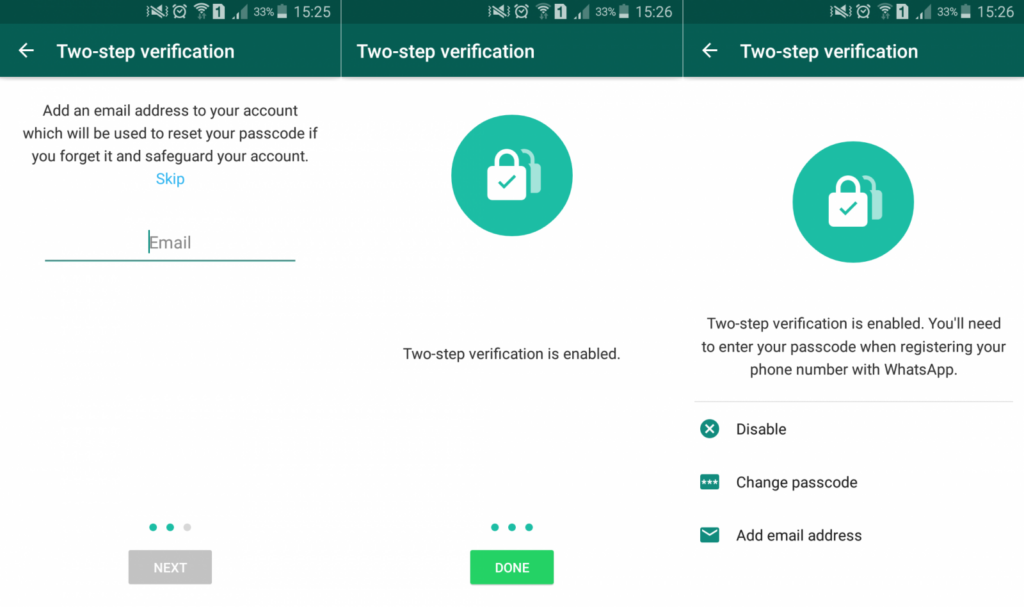
Two-step verification is still the single most important protection on WhatsApp.
Without it, anyone who gets access to your SMS verification code, through SIM swap fraud or social engineering, can register your number on a new device. The six-digit PIN blocks that second step.
Even if a hacker steals your SMS code, they cannot access your account without your PIN.
How to enable it:
- Open WhatsApp
- Go to Settings > Account > Two-step verification
- Tap Turn On
- Set a 6-digit PIN
- Add a recovery email
This is your first and strongest layer.
2. Turn on the new WhatsApp Account Password (when available)
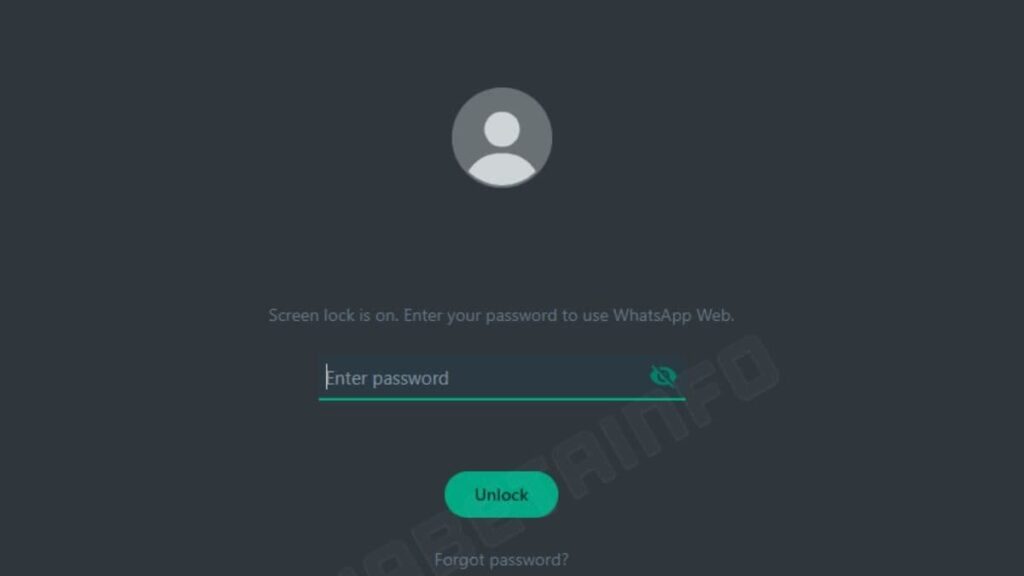
WhatsApp is testing an optional account password that adds a third barrier during login.
Here’s why that matters: attackers increasingly combine SIM swaps with phishing for verification codes. The new password sits after the SMS code and after your two-step PIN. That means even if both are compromised, your account is still locked behind an alphanumeric password stored on your device.
It’s layered defence for you.
How it will work:
- Go to Settings > Account
- Select Account Password (when rolled out)
- Create a 6–20 character password with at least one letter and number
- Save and confirm
During login, WhatsApp will request:
- SMS code
- Two-step PIN (if enabled)
- Account password
That sequence significantly reduces takeover risk.
3. Use Passkeys for encrypted backups
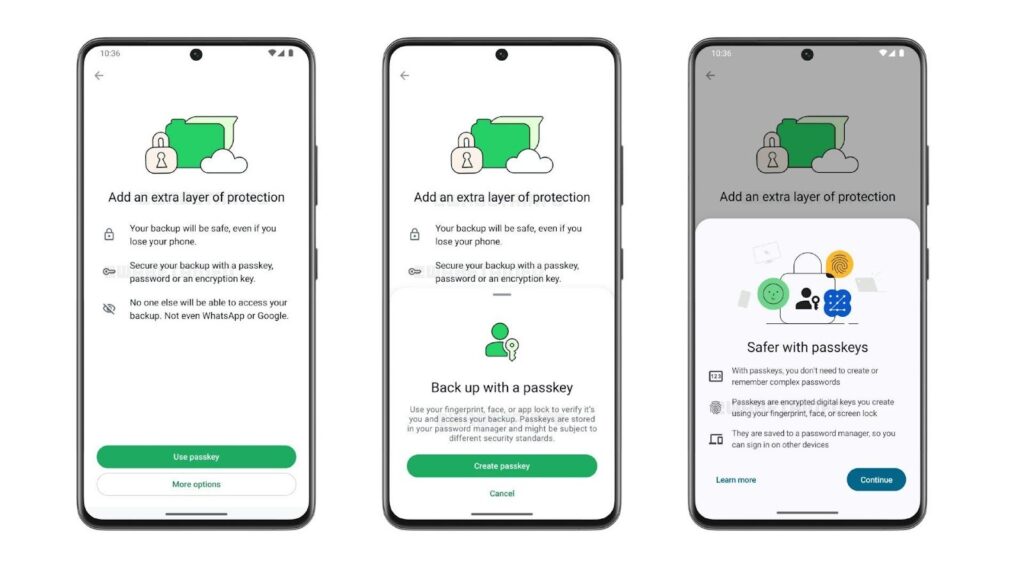
Backups are a weak point if not encrypted. While chats are end-to-end encrypted, cloud backups can expose your message history if your Google or Apple account is compromised.
WhatsApp now allows passkey-protected encrypted backups tied to your fingerprint, Face ID, or device lock.
This protects your stored history from access without permission.
How to enable encrypted backup with passkey:
- Go to Settings > Chats > Chat Backup
- Tap End-to-end Encrypted Backup
- Follow setup and secure with biometrics
If you cannot secure backups properly, disabling cloud backup entirely is safer than leaving it exposed.
4. Protect Your IP Address in Calls
Normally, WhatsApp calls connect peer-to-peer for better quality. That direct connection can expose your IP address to the other caller.
If you are dealing with unknown callers, scammers, or high-risk threats, this matters.
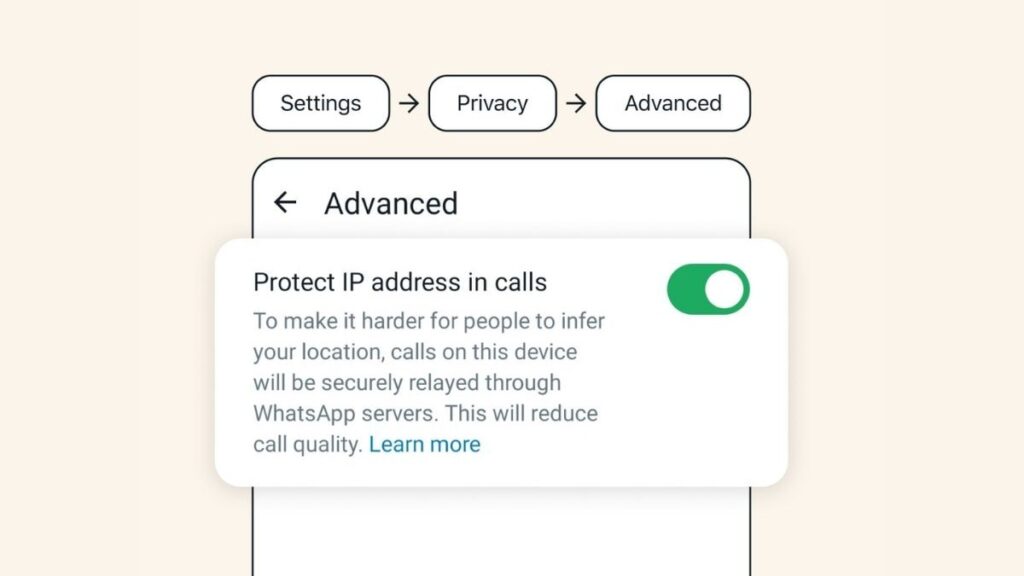
The “Protect IP Address in Calls” feature routes calls through WhatsApp servers instead, masking your location.
How to enable it:
- Go to Settings > Privacy > Advanced
- Toggle Protect IP address in calls
Call quality may drop slightly, but your location stays hidden.
5. Turn on Device Lock (App Lock)
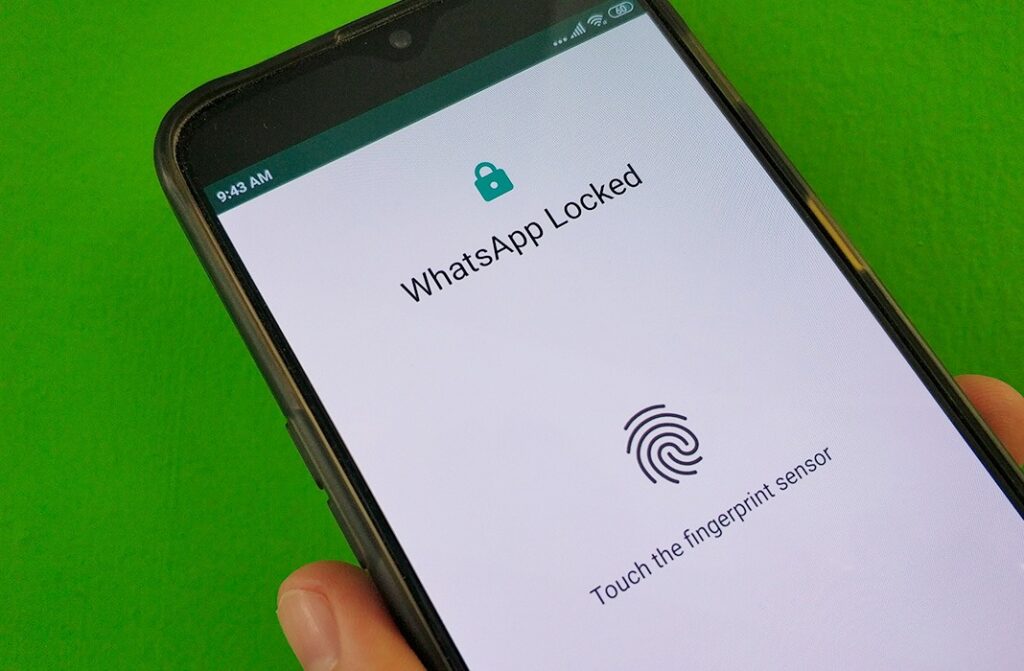
This does not stop remote hackers. But it stops physical access attacks.
If someone gets hold of your unlocked phone, they can change your two-step PIN, link devices, or attempt account transfers.
App Lock prevents access without your fingerprint or Face ID.
How to enable it:
- Go to Settings > Privacy > App Lock (or Fingerprint Lock)
- Turn it on
- Set auto-lock timing
It protects against opportunistic access.
6. Review linked devices regularly
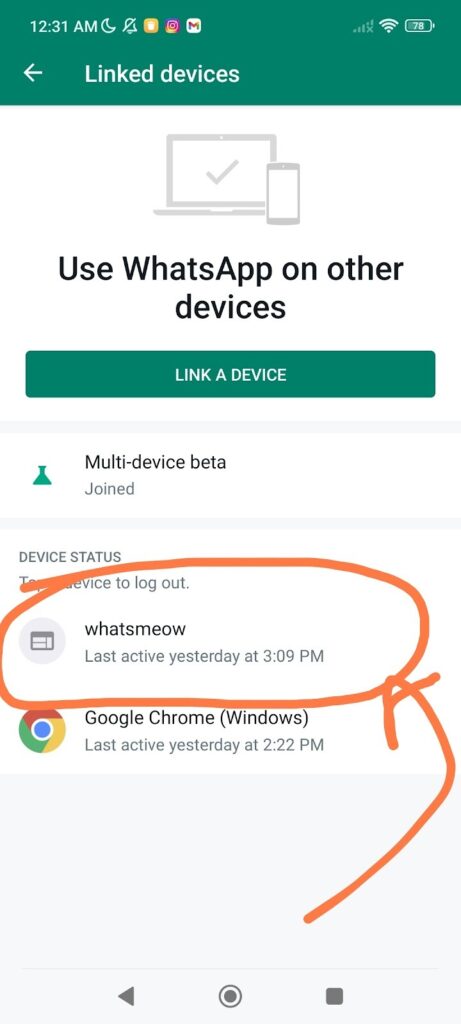
WhatsApp Web and desktop sessions stay logged in unless manually removed.
If someone gains access to your phone briefly, they can link another device and monitor your chats remotely. This closes silent access points.
How to check:
- Go to Settings > Linked Devices
- Review active sessions
- Log out of unknown devices immediately
It’s also worth noting that WhatsApp’s Account Protect feature adds a quiet safety net during device transfers. If someone tries to move your account to a new phone, WhatsApp may require confirmation from your existing device before the transfer goes through. That reduces the risk of a silent takeover. Still, it works best as a backup layer. Two-step verification and the new optional account password remain the stronger barriers against SIM-swap and verification-code attacks.
Read also: Reliable ways to text a number on WhatsApp without saving it on your phone first
Get passive updates on African tech & startups
View and choose the stories to interact with on our WhatsApp Channel
ExploreLast updated: February 27, 2026


